Snap into shape
Place focused controls where emphasis matters and dense banks where speed matters.
Wired by design Modular desktop control
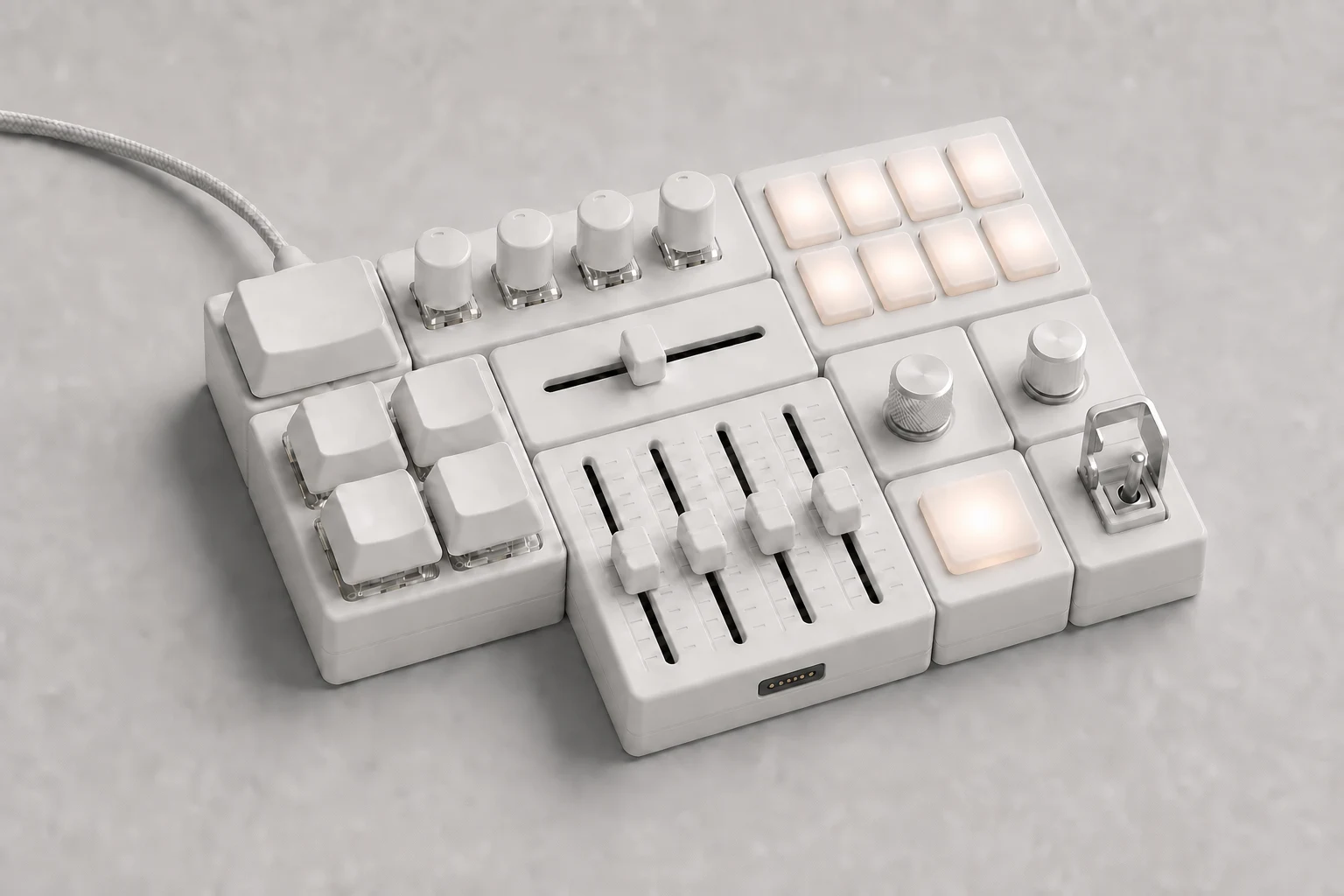
One Main. Twelve purpose-built module types. Arrange them in two dimensions and OmniNode discovers every control, position, rotation and neighbor—without accounts, pairing or batteries.
01 / SYSTEM
OmniNode is a wired control surface assembled from modules on a shared mechanical grid. Each edge is active, so the system can become a line, corner, T, tree or closed loop instead of another fixed deck.
Place focused controls where emphasis matters and dense banks where speed matters.
Main resolves module identity, coordinates, rotation and every physical neighbor.
Output keyboard, media, mouse, gamepad and high-resolution MIDI from one USB device.
02 / DESIGNED LAYOUTS
These are deliberate grid layouts, not random piles of controls. Choose a workflow to see how module density, reach and persistent state change the physical composition.
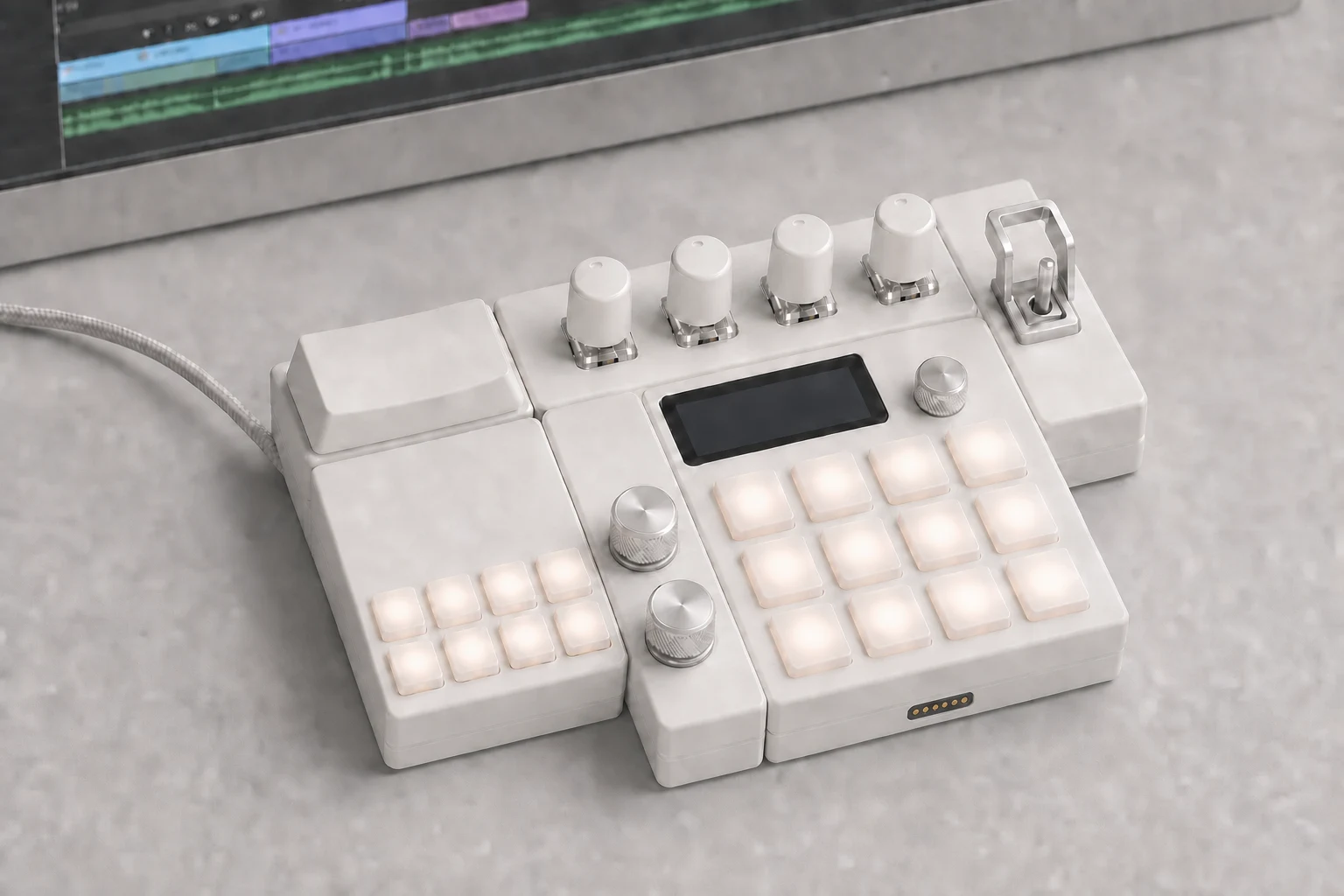
VIDEO EDITING / CONTROL CORNER
Jog and Display anchor the hand position. EncoderBank stays above the primary motion controls while the guarded Toggle holds a persistent editing state.
03 / MODULE FAMILY
Product renders replace abstract diagrams here: each group shows the real control density, relative footprint and shared industrial language expected from the hardware.
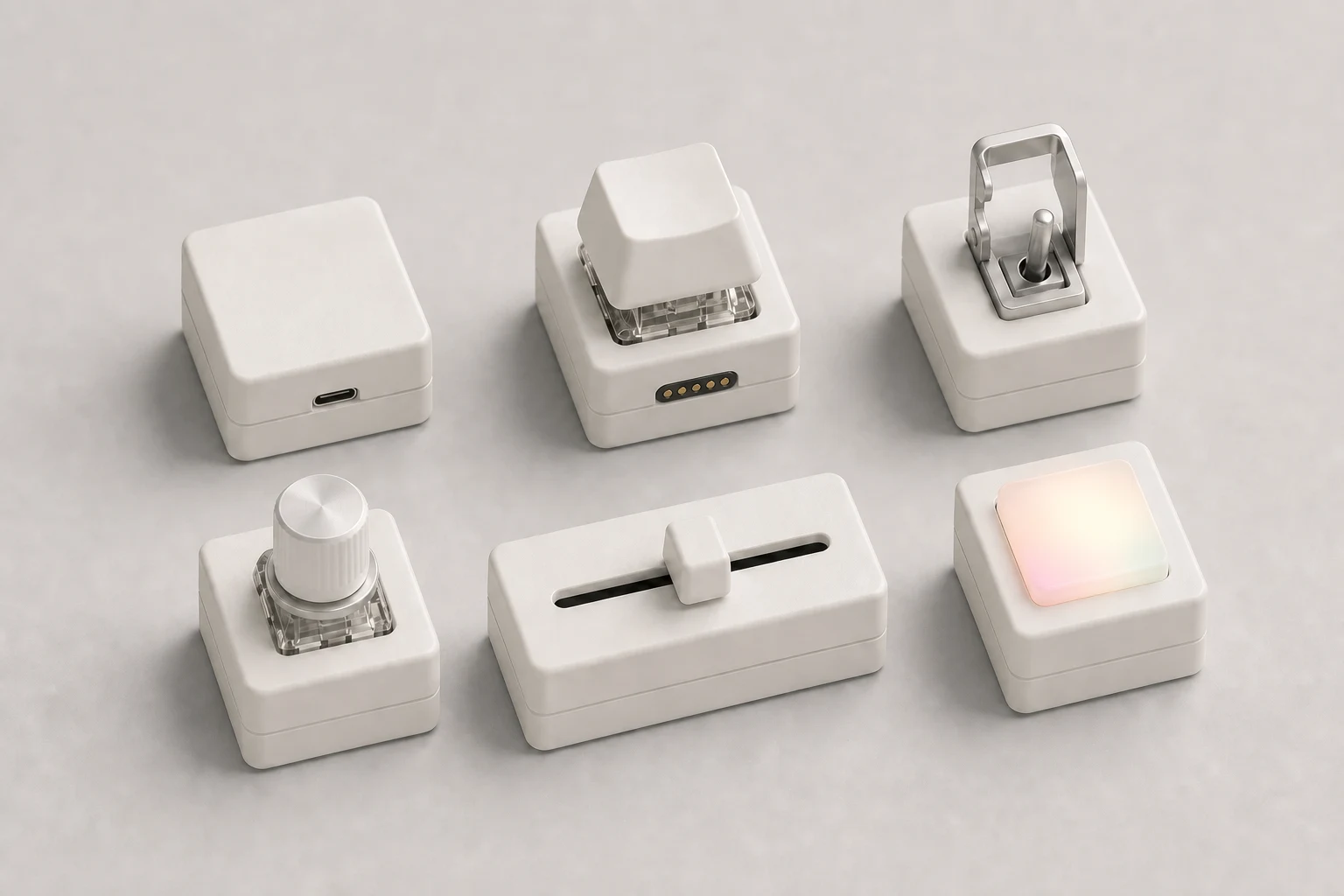
Main is the only USB root. Button, Encoder, Slider and Light keep important actions isolated. Toggle uses a machined metal lever with an aircraft-style flip guard—no toy-like plastic cover.
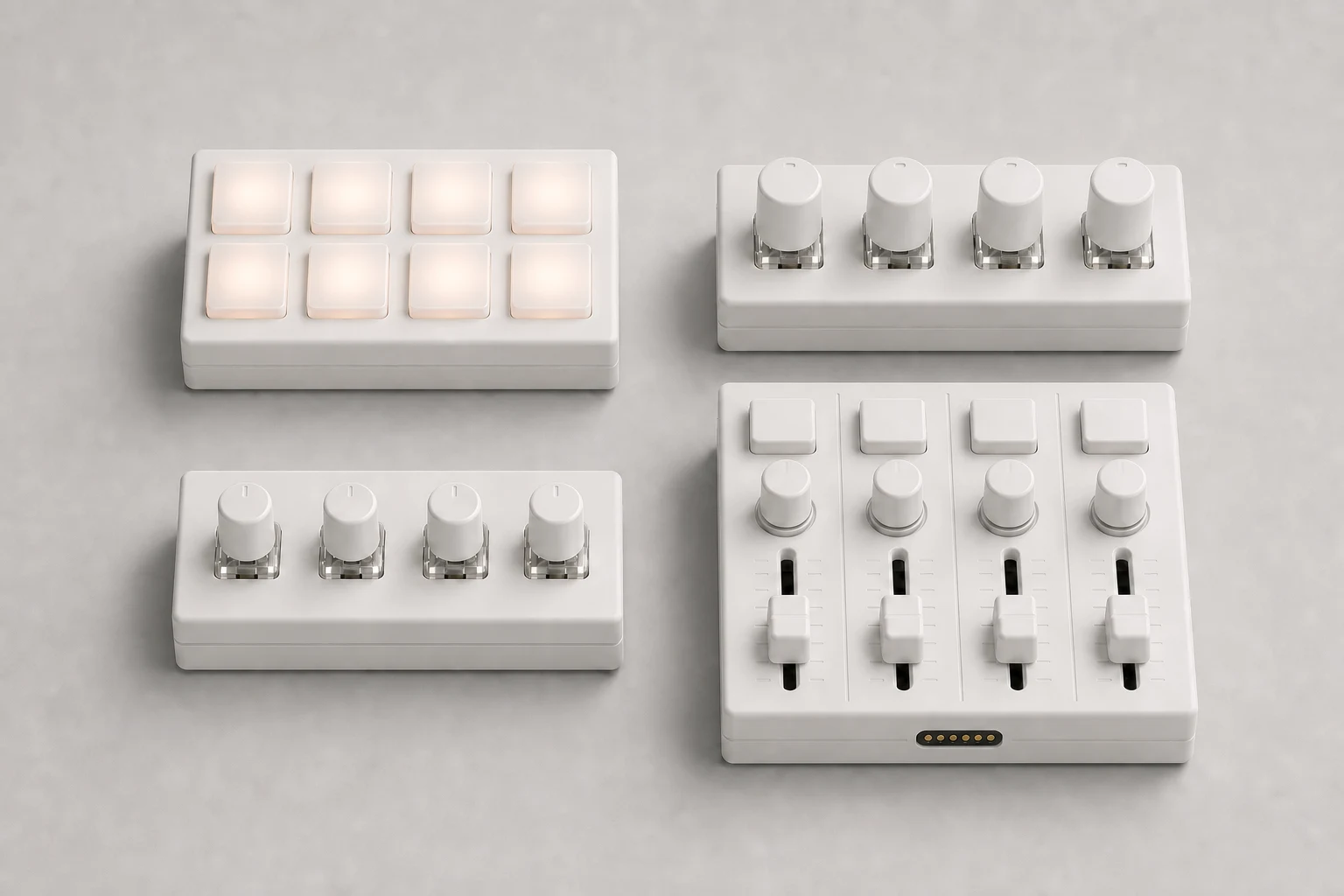
Pad, EncoderBank and PotBank pack repeated actions into 2×1 footprints. Mixer combines four faders, four pots and four buttons in one coherent 2×2 channel surface.
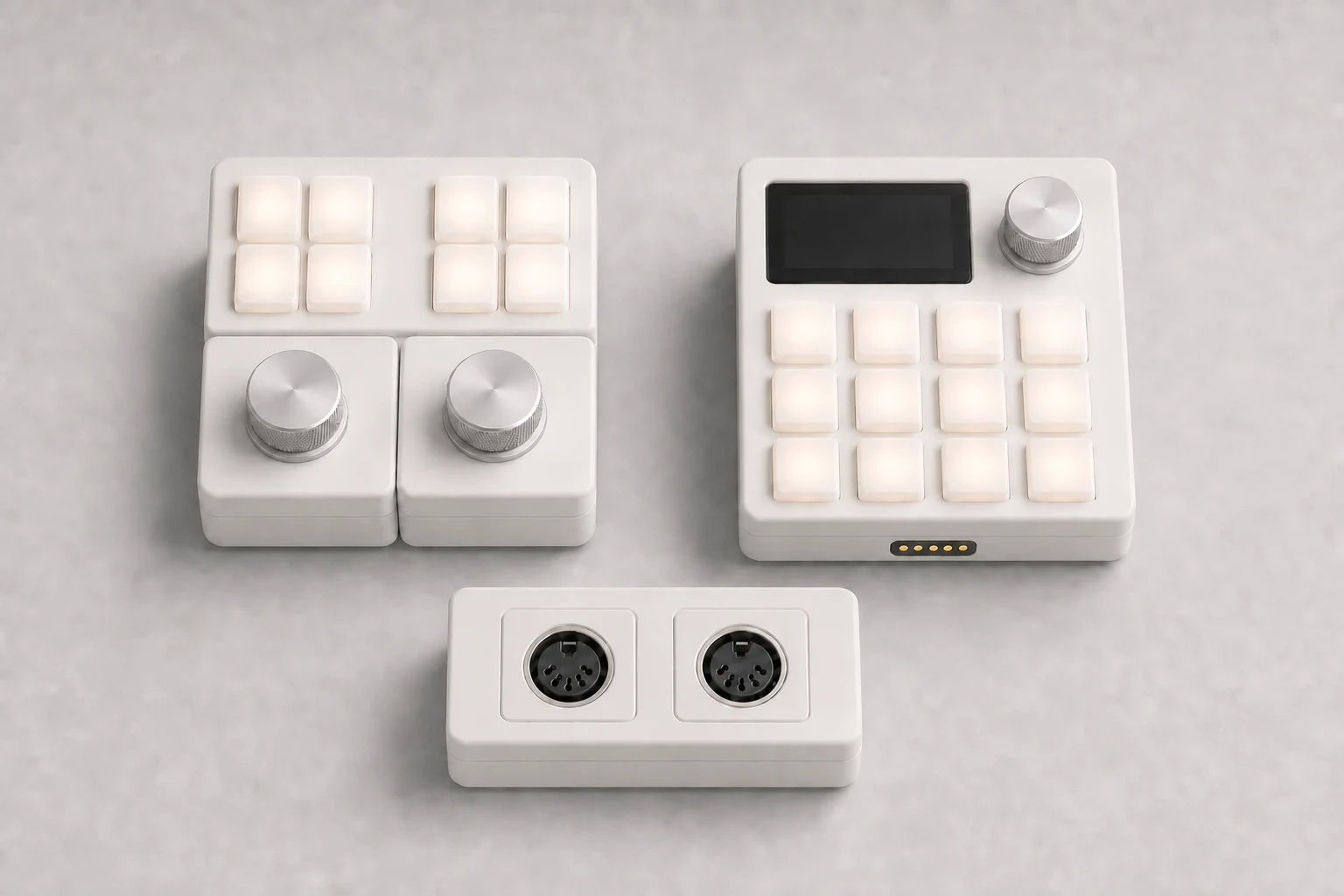
Jog provides two high-resolution wheels and eight keys. Display adds local context without putting a screen on every module. MidiBridge brings isolated DIN MIDI into the same topology.
04 / THE TOGGLE
The ON–OFF–ON Toggle is intentionally mechanical: stainless lever, brushed aluminum base and a hinged metal safety guard inspired by aircraft panels. On hot-plug, firmware synchronizes its physical position without firing the assigned action.
05 / EDGELINK
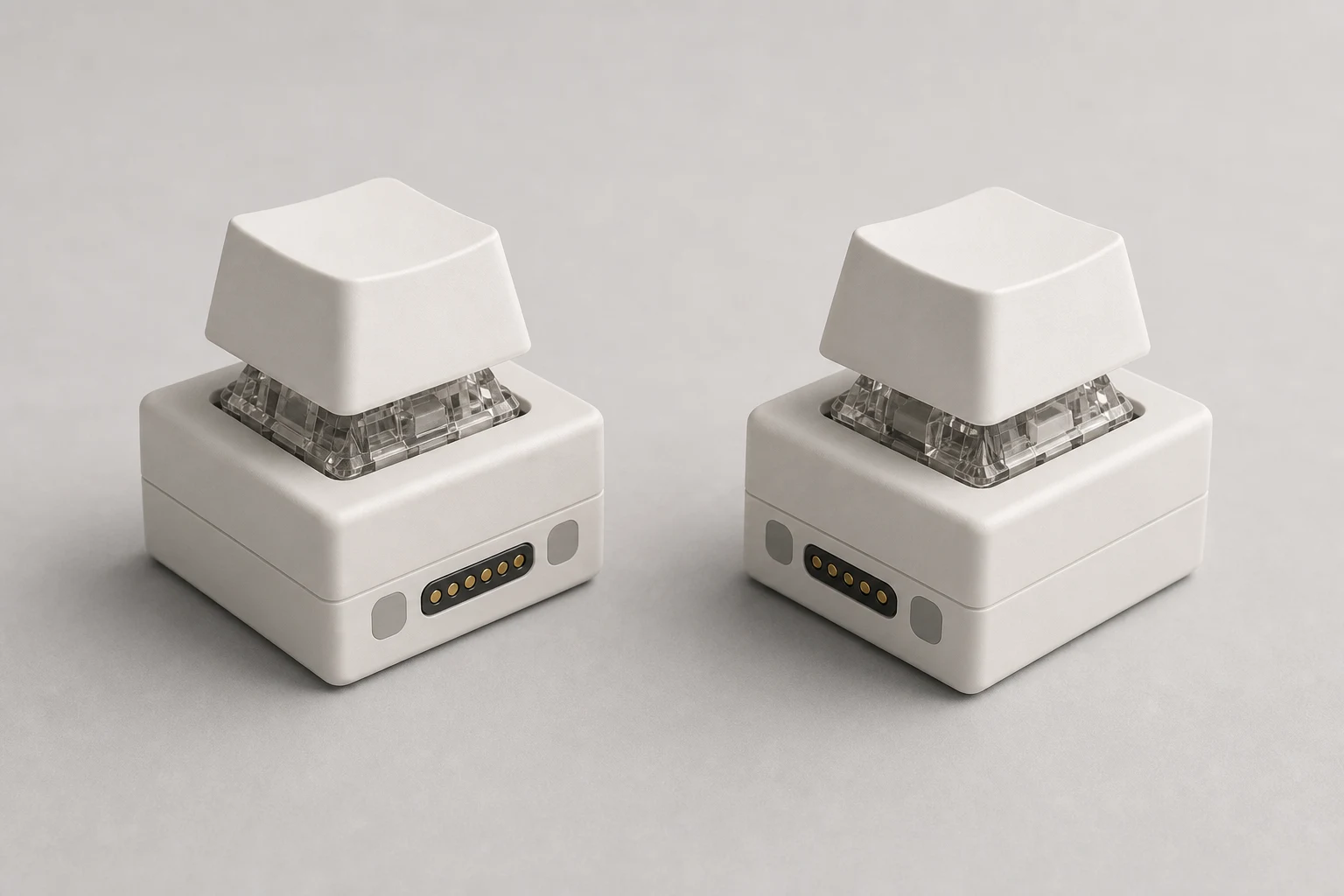
A replaceable side cassette keeps electrical contacts separate from magnetic alignment. The mirrored interface supports any orientation, while firmware assumes no contact is guaranteed to land first.
Three equal-height pogo contacts alternate with three flat hard-gold pads.
Loads remain off and signals released until a stable handshake and power grant.
Independent TX/RX gives every physical edge its own full-duplex connection.
06 / OMNINODE DESKTOP
Desktop consumes one atomic topology from Main. It shows real coordinates, rotation, neighbors and every element, then keeps bindings attached to the module's local identity through hot-plug and rearrangement.
Position −1 · Previous edit
Position 0 · Neutral
Position +1 · Approve edit
07 / POWER + SCALE
One connection to the computer carries control and powers compact everyday layouts.
320 mA network budgetAdd a certified 5 V / 3 A supply when a larger RGB or Display layout needs headroom.
2,000 mA network budget